SpringHillMedGroup isn’t responding to my email is a common search when patients need fast help. The group may miss messages for delivery, filtering, or contact‑detail errors. This guide explains likely causes, step‑by‑step checks to confirm delivery, and precise follow‑up templates and timing that secure a reply within business realities in 2026.
Key Takeaways
- SpringHillMedGroup may not respond to emails due to incorrect addresses, spam filters, or policy restrictions on sensitive data sent by plain email.
- Verify you are using the official email address and check your spam or bounce-back messages to confirm your email was delivered.
- Use clear subject lines with full details like name, date of birth, and phone number to speed up email routing and response.
- Send initial emails during weekday mornings and follow up politely after 48 business hours, then call during off-peak hours if needed.
- Avoid sending attachments by email; instead, upload necessary documents through the clinic’s secure patient portal to prevent delays.
- If emails remain unanswered, escalate by phone and confirm the clinic’s contact info via official or third-party sources before sharing sensitive information.
Common Reasons Your Email May Be Ignored Or Blocked
A broader account of SpringHillMedGroup’s editorial contact options and limits separates delivery problems from the website’s own response caveat. Here are the exact reasons and how they play out.
Wrong or unofficial address: If a patient uses an outdated or look‑alike address, the clinic never sees the email. SpringHillMedGroup has several pages listing official contacts: confirming the correct address matters. For quick verification, compare the address used against the practice’s published services booking page.
Links and attachments can trigger spam filters when contacting SpringHillMedGroup about website content. The result: a message is quarantined rather than routed to staff. This is common when senders attach PDFs of insurance or include long URLs.
Policy limits on email content: SpringHillMedGroup and many practices decline to handle clinical or sensitive data over plain email. If the message contains medical records, billing numbers, or photos, staff may not acknowledge it until the sender uses a secure portal.
Workload and office hours: The clinic typically processes non‑urgent emails within 24–48 business hours. If a message is sent late Friday, during a holiday, or during high patient volumes, response time stretches. The practice’s general services and care overview notes standard handling priorities.
Vague subject or missing identifiers: Emails without a clear subject line, full name, date of birth, or phone number slow routing. Staff must pause to request identifying details, which delays any reply.
Human error and routing mistakes: Reception teams juggle phone lines, portal messages, and faxes. A misrouted message can sit in an administrative queue for days. Because of these realities, patients often need one clear, targeted follow‑up to move things along.
How To Troubleshoot Delivery And Confirm Your Message Reached Them
Confirming delivery is the first of the next steps for an unanswered SpringHillMedGroup enquiry.
Step 1, Verify the official contact: Compare the email used to the practice’s published contact pages. The clinic’s main contact listing and phone guidance are on the contact overview and rapid‑reach pages, which help confirm the correct address and office line. Use the contact and phone guide to match the email domain and phone number.
Step 2, Check your own mail flow: Look in Inbox, Spam/Junk, Promotions, and Trash for an automated bounce or reply. A bounce or reply found there helps distinguish a delivery problem from response expectations for the site’s contact form. Also review the original sent message for typos in the To field.
Step 3, Confirm with phone or portal: If delivery is uncertain, call the main number or log into the secure patient portal. Phone lines and portals are the authoritative delivery checks: the site’s fast‑reach numbers reduce guesswork and often reveal whether staff received a specific inbound message. The practice’s rapid‑reach guidance can be referenced on the how to reach fast page.
Step 4, Check corporate filters (if using work email): Many employers block healthcare domains. If the sender used a work account, ask the IT team to whitelist messages from the clinic’s domain or retry from a personal email.
Step 5, Avoid blocked attachments: Re‑send without attachments or compress images and avoid executable files. If documents are essential, upload them through a secure portal rather than attaching them to plain email.
When to use an external verification: If the sender needs to confirm the clinic’s existence or phone, third‑party provider profiles can verify published hours and phone numbers. For example, a verified provider listing shows the clinic’s address and contact information and can confirm whether the phone number matches what the sender used. This can clarify if the message went to the correct clinic.
Email Templates, Timing, And Follow‑Up Strategies That Work
Direct answer: use short, precise templates, send at optimal times, and follow up with a phone backup. Below are tested templates and scheduling rules.
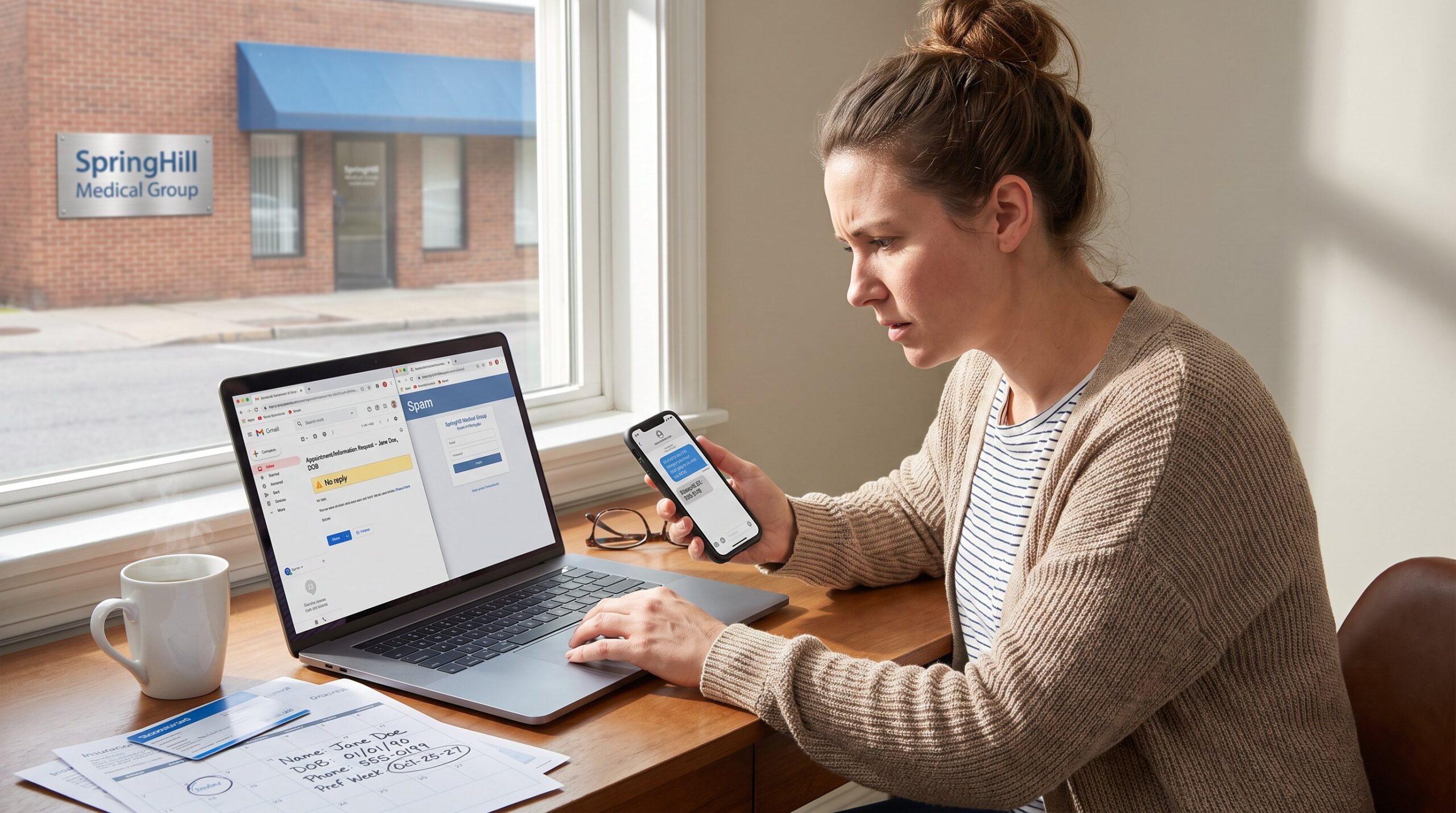
Initial message template (send once, weekday morning)
Subject: Appointment/Information Request – [Full Name, DOB]
Body:
- Full name and date of birth: Jane Doe, 01/15/1984
- Best phone: (555) 123‑4567
- Reason: Requesting new‑patient appointment for persistent shoulder pain
- Preferred dates: Week of Aug 8, mornings best
- Insurance: BlueCross PPO, ID ending 4321
This template answers the three key staff questions in the first lines: who, why, and how to contact back. If the issue is billing, add a single line: “Billing question: statement dated 6/12 shows charge X.” For disputing a bill, an external guide offers dispute steps if needed.
Follow‑up schedule and language
- If no response in 48 business hours: send a one‑line follow up. Subject: Follow‑up: Appointment/Information Request – [Name]
Body: “Following up on my message below. Please confirm receipt or call me at (555) 123‑4567., Jane”
- If no reply after second follow up: call during off‑peak hours (8:30–9:30 a.m. or 3:30–5:00 p.m.). Early calls often reach staff before midday surges.
Timing tips and channel mix
- Send initial messages during business hours, Tuesday–Thursday mornings, when inbox triage is active.
- Avoid long narratives: staff triage by scanning first 2–3 lines. Bulleted facts get routed faster.
- Use the clinic’s secure portal for test results, medication requests, or records: staff treat portal messages as higher priority and sometimes require them for privacy compliance. See the practice’s provider and services overview for portal guidance and available care options.
Real‑world caution: One patient reported sending an insurance ID picture in an email attachment: the clinic didn’t reply until the image was uploaded through the portal. That delay cost the patient a two‑week scheduling lag, an avoidable mistake. If unsure, call first and ask whether the office accepts attachments by email.
Conclusion: What To Do Next If You Still Don’t Hear Back
If a clear, concise email plus a polite follow‑up and a portal submission still fail to produce a reply, the next step is to escalate via phone to confirm receipt and avoid sharing sensitive details over unverified channels. Verify the clinic identity across multiple official pages before giving payment or medical information. If contact details differ or can’t be confirmed, consider another documented provider or ask to escalate to a practice manager by phone.
About the Author